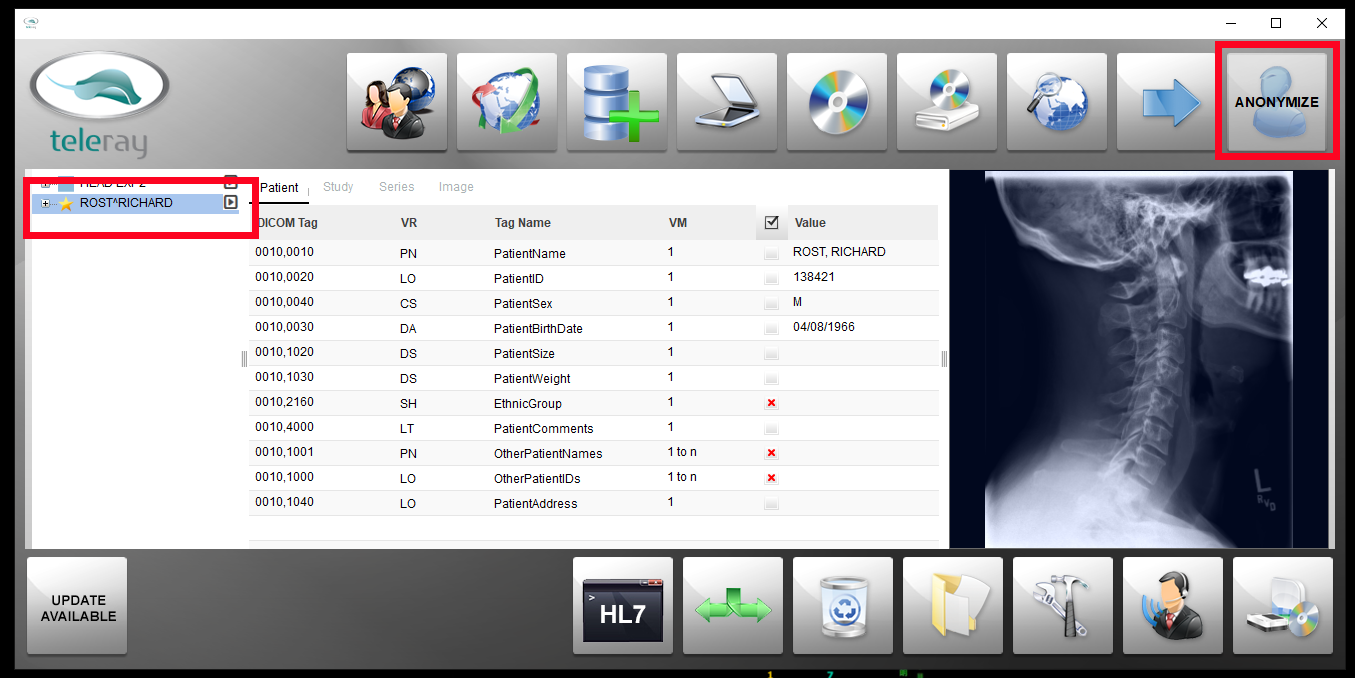
To anonymize a patient study - select a patient in the tree and click the ‘Anonymize’ button:
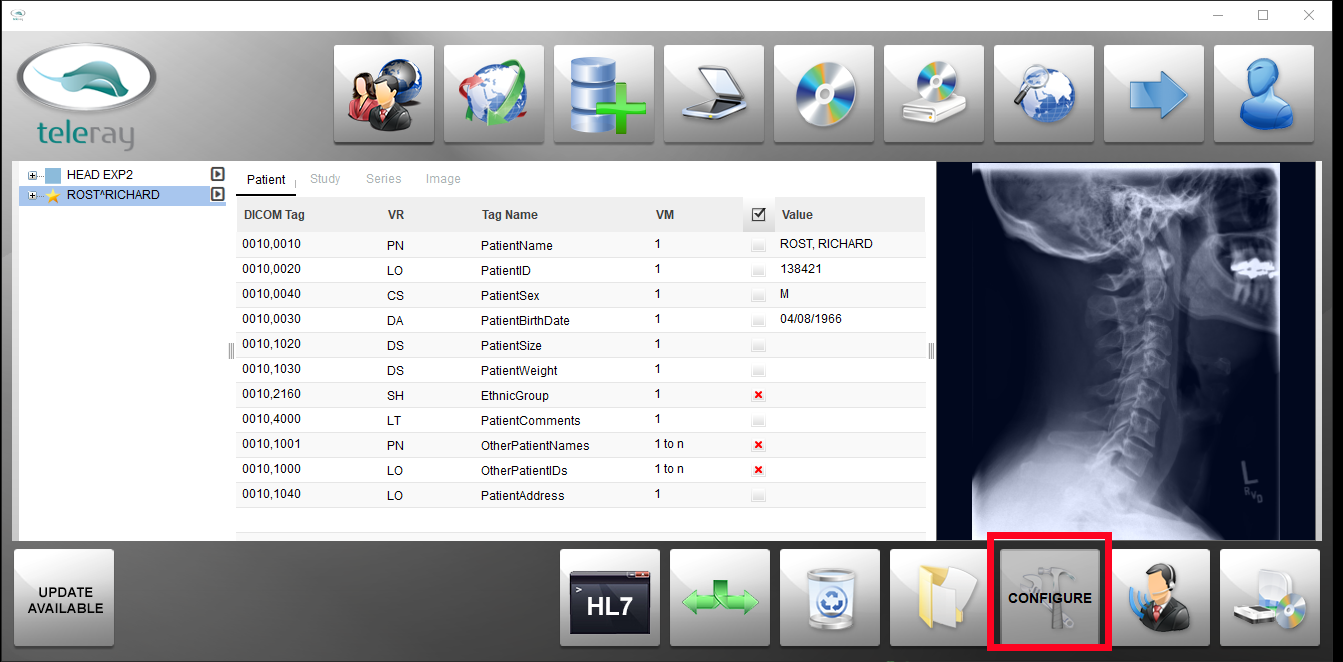
To change the settings regarding what fields of the DICOM header are anonymized, click the ‘Configuration’ button:
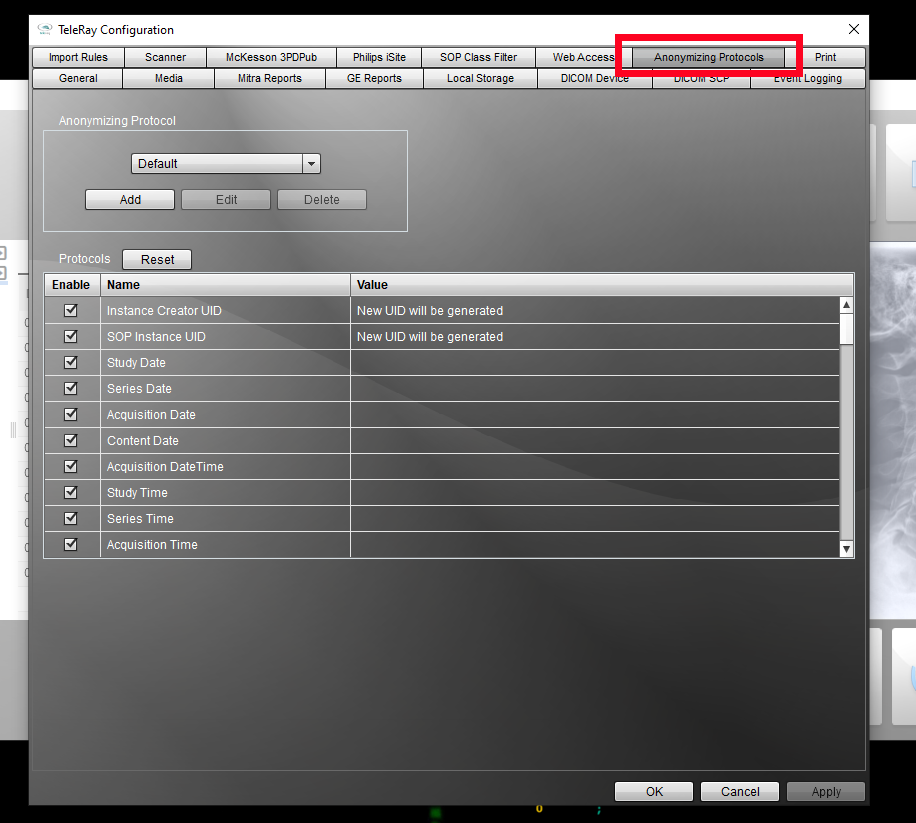
Navigate to the ‘Anonymizing Protocols’ tab – enable or disable specific fields using the checkboxes and press the ‘Apply’ button:
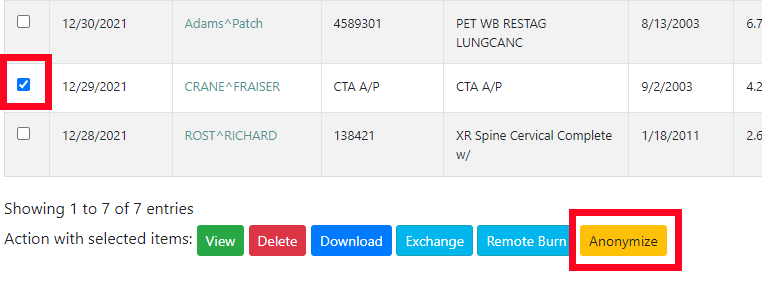
To anonymize studies in TeleRay cloud storage – select a patient study using the checkboxes and press the Anonymize button:
Was this article helpful?
That’s Great!
Thank you for your feedback
Sorry! We couldn't be helpful
Thank you for your feedback
Feedback sent
We appreciate your effort and will try to fix the article